 Guides, Outfitters, Lodging, DIY Trips, Products, Services...
How to copy Youtube Video Link
Please wait...
Steps to copy link on Android
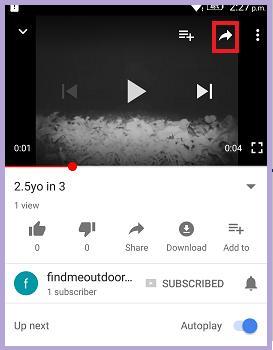
1. Open the video in Youtube App.
2. Tap the small arrow icon shown in the top right side of the video. Tap on the video if you can't see any icons.
3. Tap "Copy link" option.
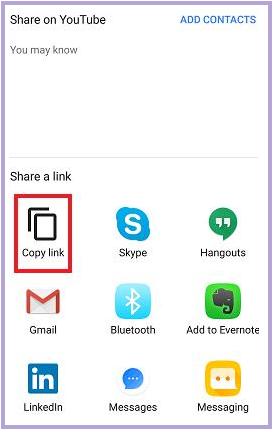
4. You can now paste this video link into the text box.
Steps to copy link on Computer
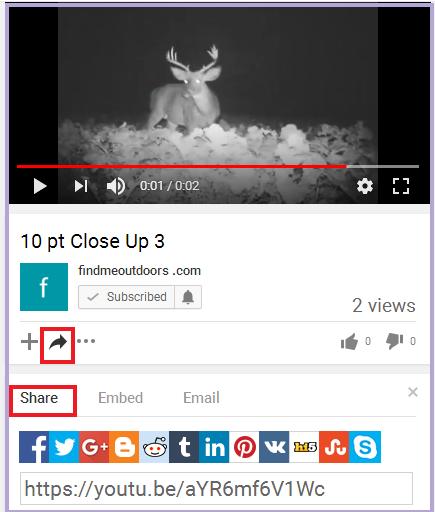
1. Open the Youtube video in browser.
2. Click on the share (or small arrow icon) at the bottom of the video title.
3. Select the Share Tab, if not selected by default.
4. Copy the video link.
About the Writer

I am building an online solution for outdoor enthusiasts. This site will allow for the saving, posting and sharing of outdoor activity photos, online posts of activities that are automatically saved in the member's activity journal, plus an activity calendar feature.
I also work with outdoor-related publishers and businesses that are looking to increase their revenues utilizing new online technologies for revenue growth.
I also work with outdoor-related publishers and businesses that are looking to increase their revenues utilizing new online technologies for revenue growth.
Comments are disabled for this post.